


Complete system control for analysis and optimization
TAM System Explorer is the central tool for commissioning, analysis and optimization of TAM systems. It provides convenient access to the registers of all devices in the TAM system topology. The Explorer includes a fully featured scope that can record each register of various devices at up to 100 kHz clock speed.
The software can be operated in Master and Observer mode, includes a module for axis operation, and provides tools for measuring frequency response and controller design using Bode methods. TAM System Explorer can operate standalone or integrate directly into user applications.

Functions
Overview
- Commissioning and configuration of devices
- Topology in the graphical register tree
- All register values in physical SI units
- Plugin mechanism for own modules
- Download of Tama programs#
- Download of firmware, also in batch mode
- Master or Observer mode
- Can be integrated into user application
Software Oscilloscope
- Real-time display, minimum delay
- Drag'n'drop from any register
- Signals up to 100kHz clock rate
- Position markers, triggers
- Templates for various measurement tasks
- Interactive adjustment of the display
- Print as well as image and data export of the scope signals
- Optimized for color blindness
Bode Tool
- Measurement of the frequency response of an axis
- Analyzing the dynamic behavior of an axis
- Position and current controller
- Interactive design of the controllers
- Design of filters
- View with Bode or Nyquist diagram
-
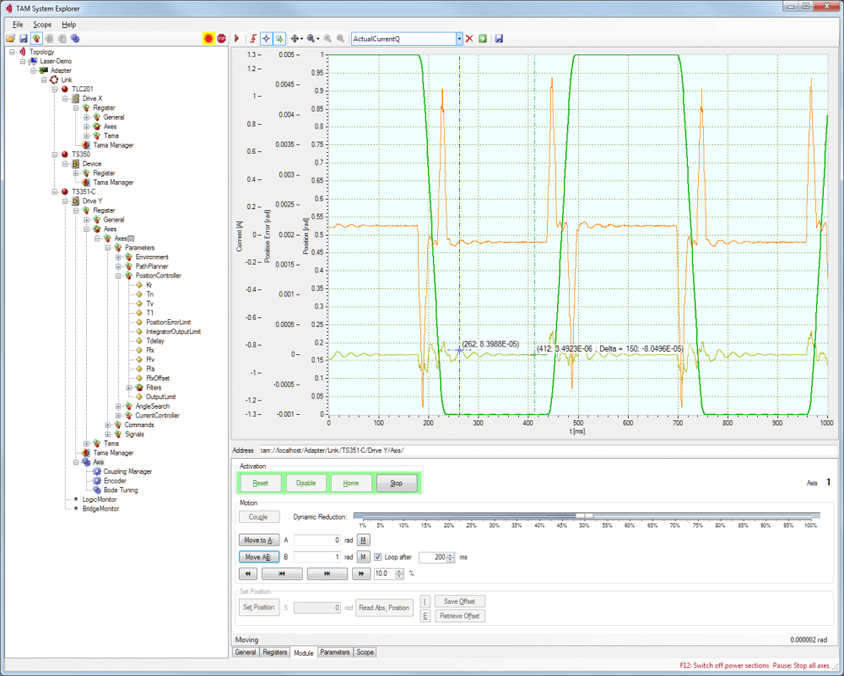
TAM system explorer - Overview -
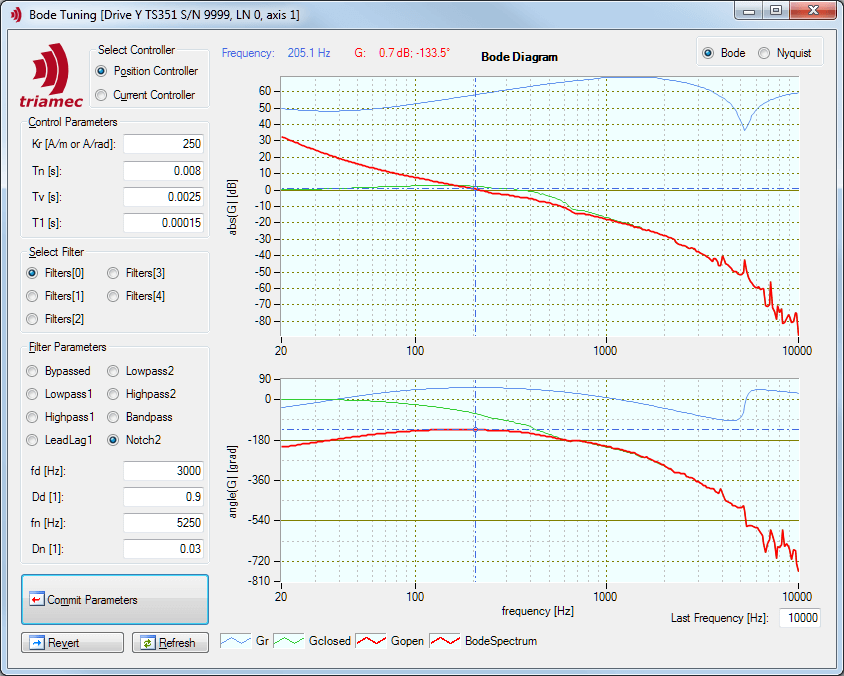
TAM system explorer - Bode tuning -
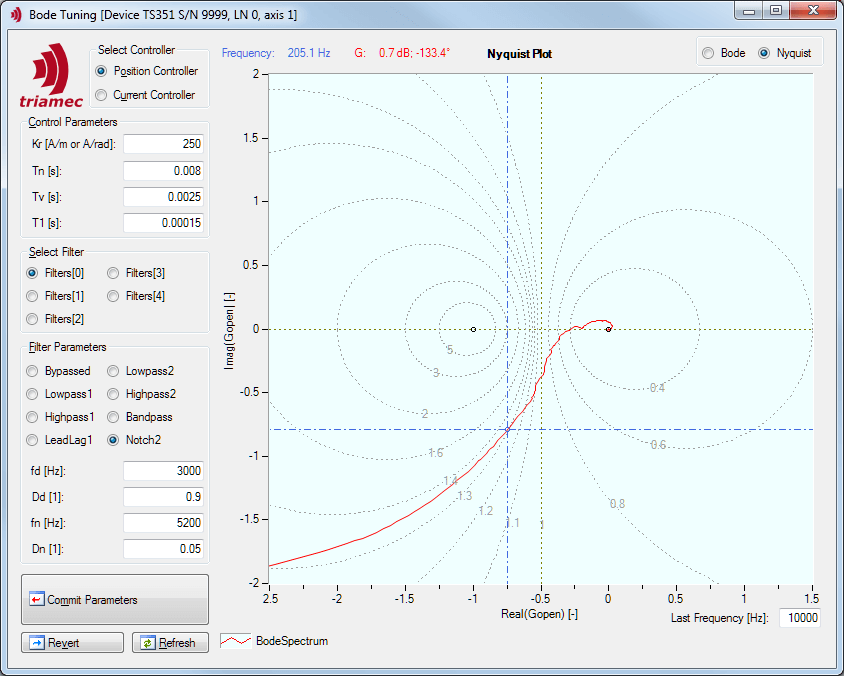
TAM system explorer - Nyquist tuning
Download and try TAM System Explorer now!
Install TAM Software on your PC. Start TAM System Explorer. Open a sample configuration offline. Detailed information on how to use TAM System Explorer is included in the Servo Drive Setup Guide.