


Smart Tuning
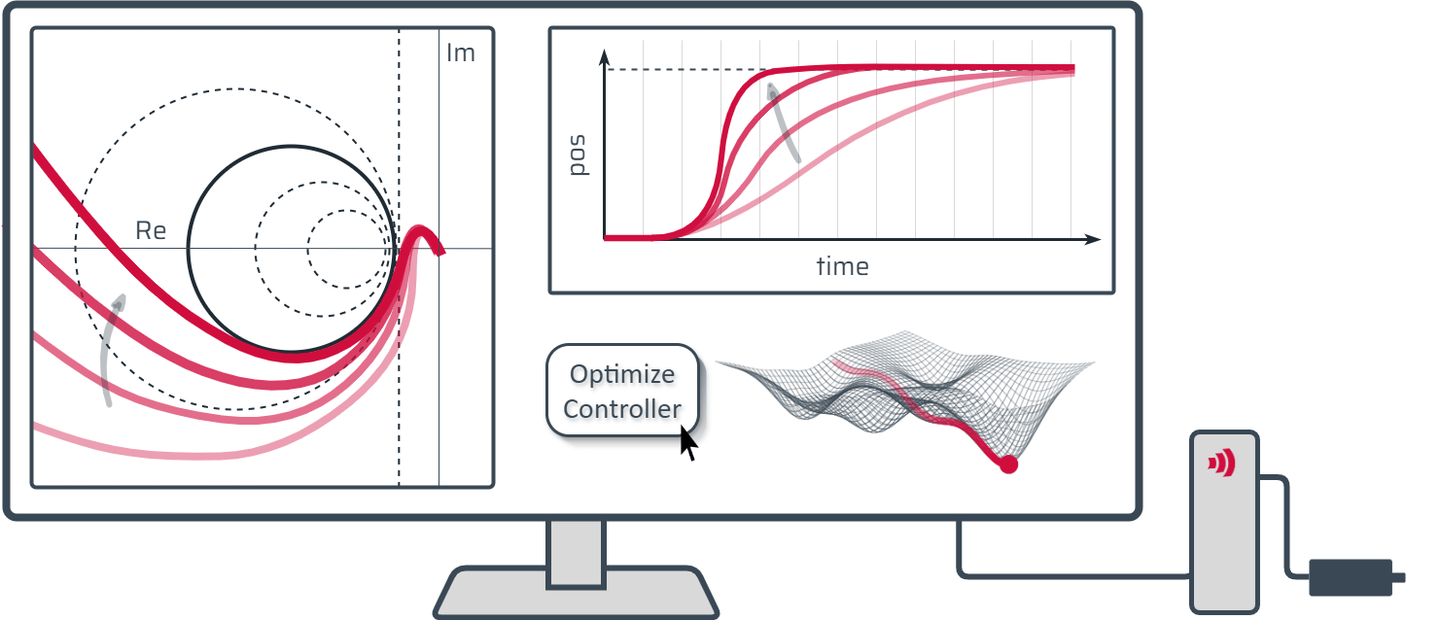
The Smart Tuning Tool, integrated in the TAM System Explorer, finds optimal controller parameters while ensuring stability and high performance. Available for both current and position controller design, it simplifies the tuning process, saving time and effort.
Smart Tuning in TAM System Explorer
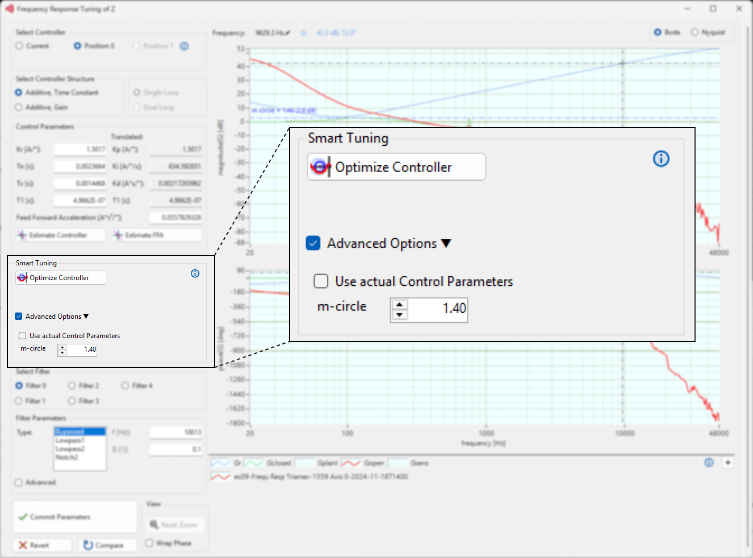
The tuning window in TAM System Explorer includes a dedicated section for the Smart Tuning tool. 'Optimize Controller' lets the user skip the detailed PID tuning steps and obtain an optimal controller with a single click.
Design Specifications
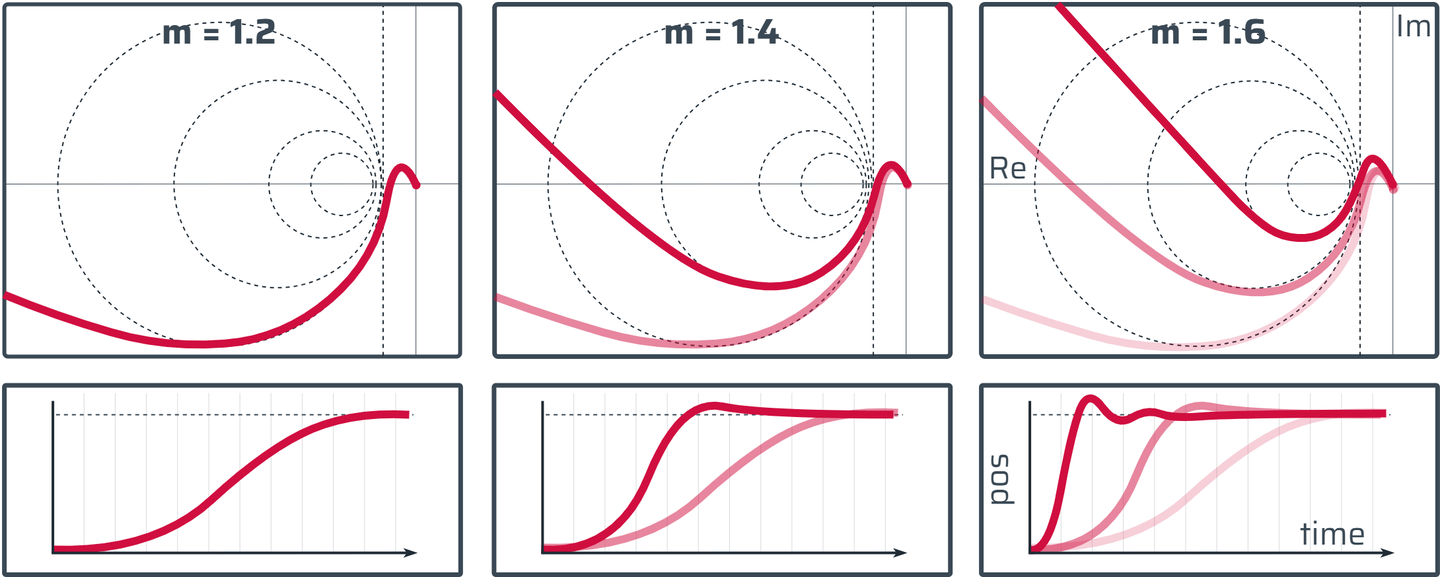
The «Advanced Options» in the smart tuning section allow users to specify design criteria. By adjusting the m-circle parameter, users can set the maximum allowed error in the closed-loop system. The controller design process ensures that the error response stays within this user-defined limit.
Multiple Measurements
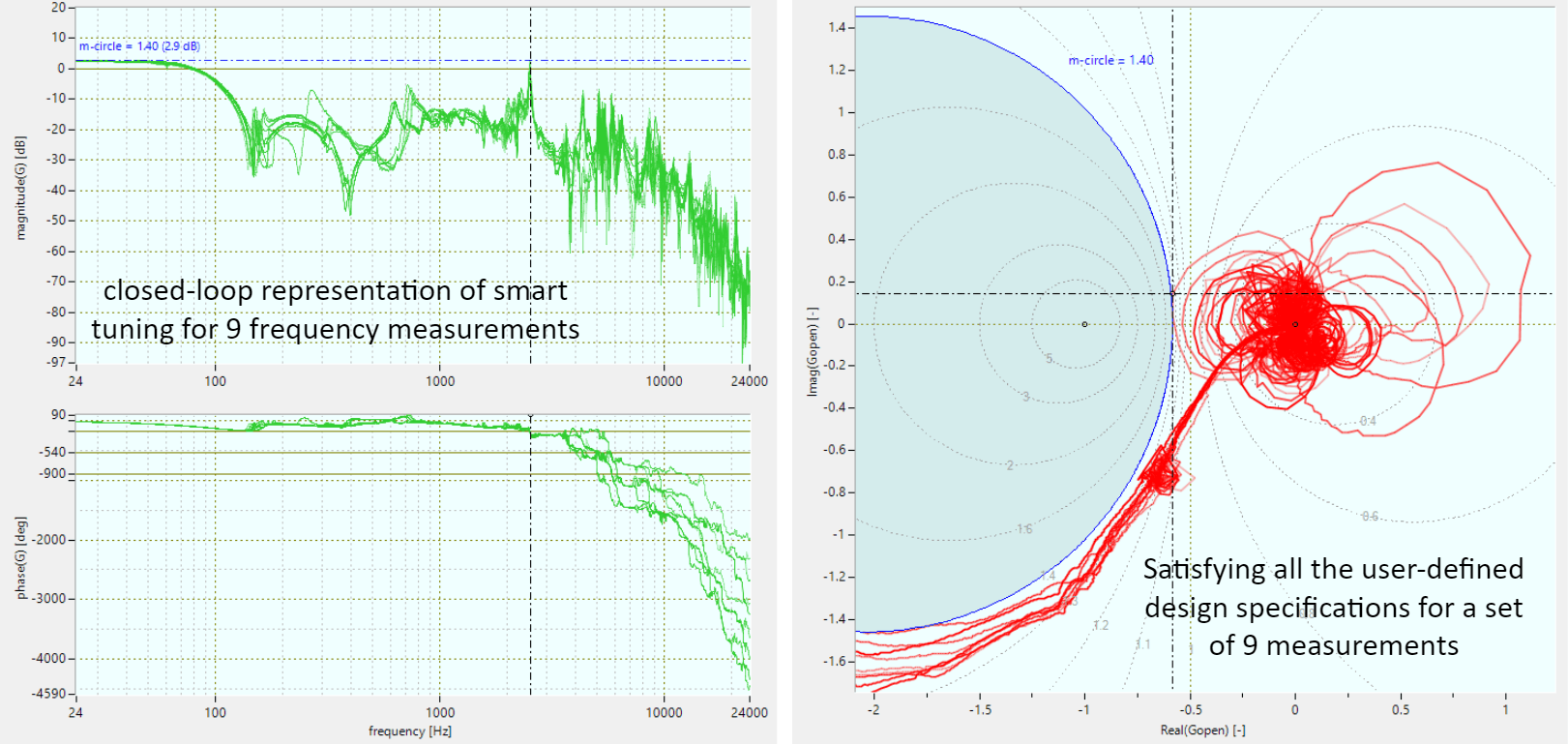
The Smart Tuning Tool supports multiple frequency-response measurements. When more than one measurement is loaded in the tuning window, the design algorithm accounts for all of them and ensures stability across the entire set.
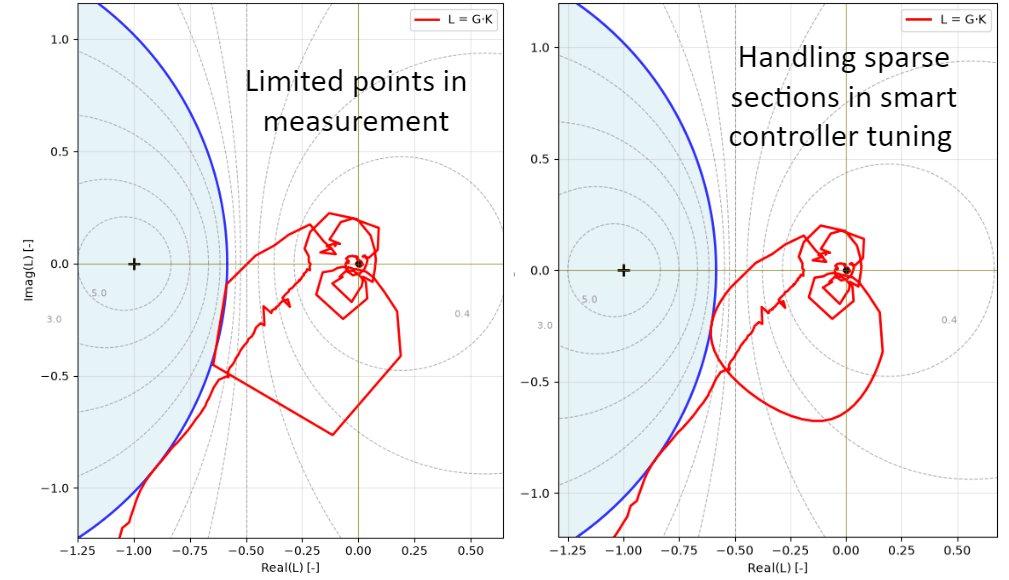
Limited Measurement Points
When measurements have a limited number of points, the algorithm applies stability and design constraints not only at the measured frequencies but also at interpolated points in between, thereby avoiding unreliable controller designs that could result from sparse data.